
In this update, we've gathered the latest features you might find useful in your day-to-day operations.
You can now vet vendors before they get assigned work, see where deals slow down in your pipeline, and track your equipment on the Schedule so nothing gets double-booked.
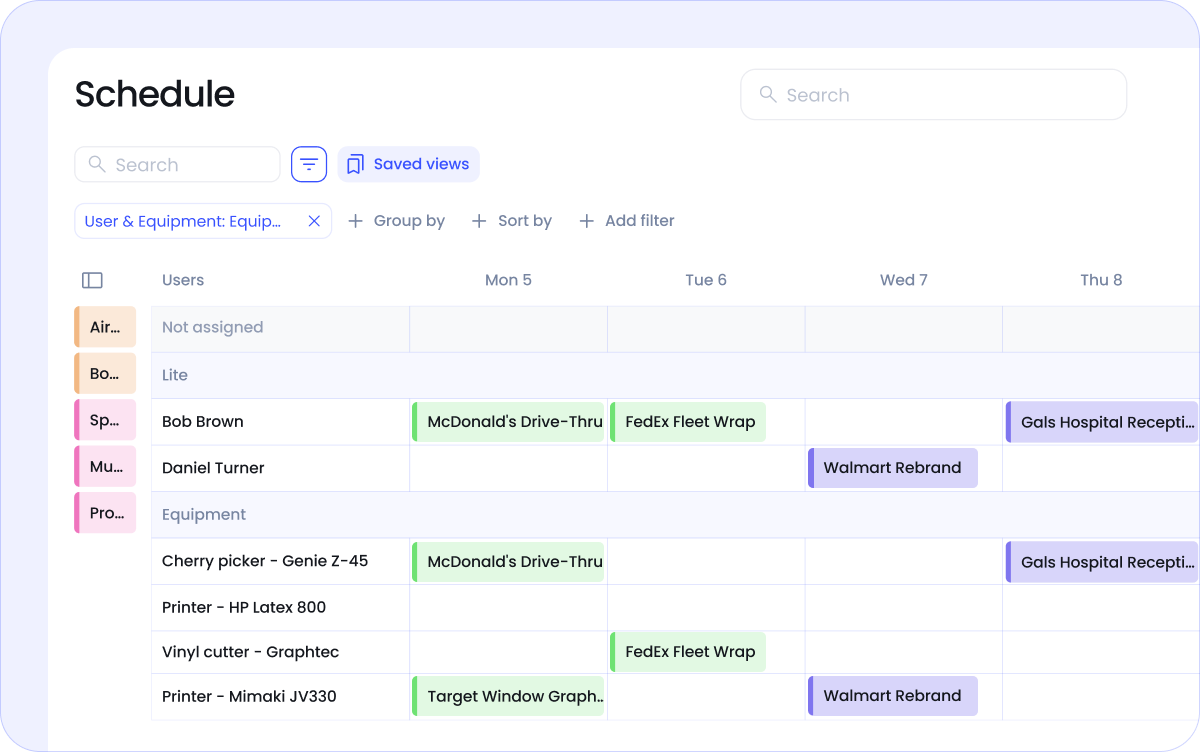
You can now track equipment alongside your team on the Schedule. Large-format printers, cranes, lifts, the kind of gear that's shared across jobs and can't be in two places at once.
Assign equipment to events the same way you assign people, and the Schedule shows you what's booked where and when.
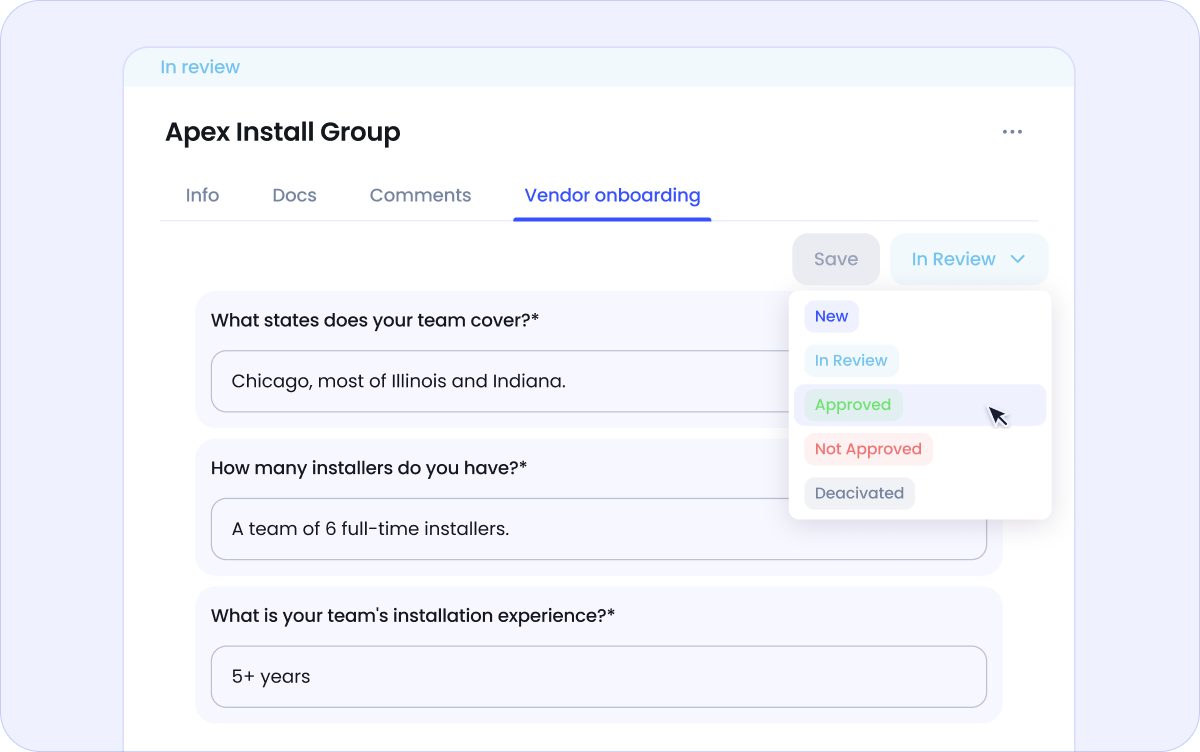
New vendors you invite into Vantage go through a structured onboarding flow before they can be assigned to any jobs.
You build the form with the questions that matter to you, the vendor fills it out when they join, and you review and approve before they appear in your assignee lists. So every vendor on your schedule is one you've vetted and chosen to work with.
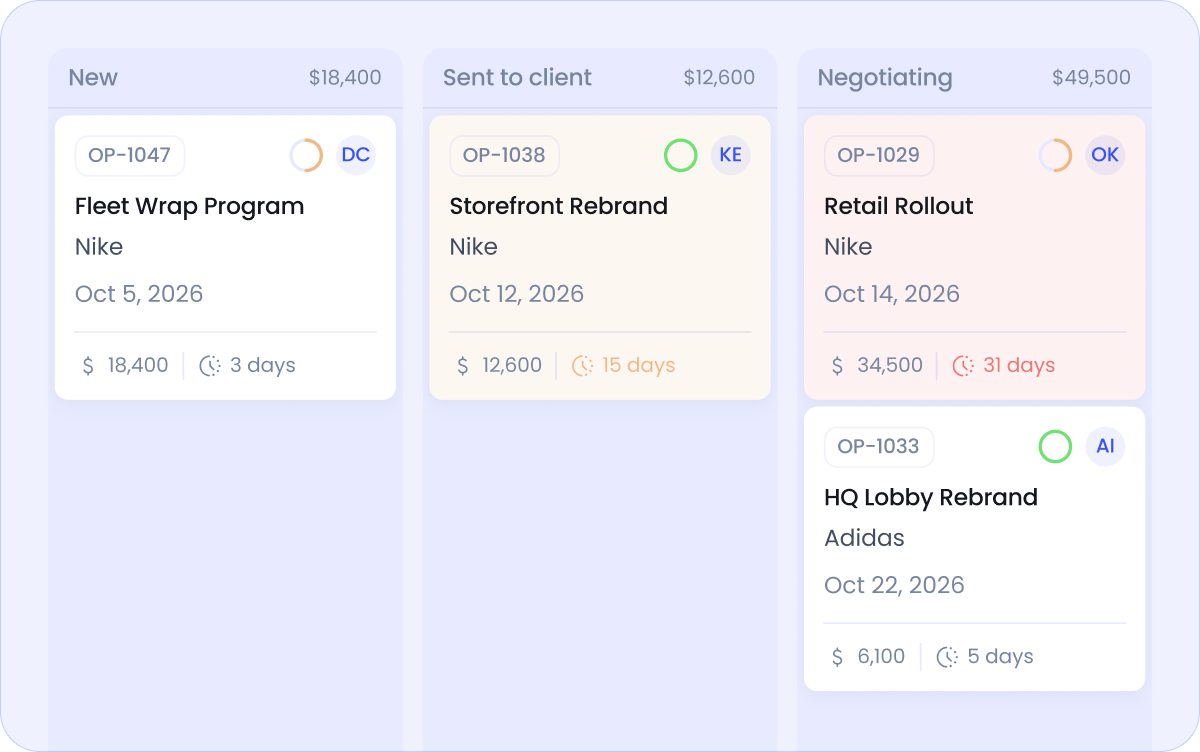
Every opportunity now shows how long it's been in each status. A simple day count, but it tells you a lot: which deals are stalling, where your pipeline slows down.
If you're trying to tighten your sales cycle, this is the number that shows you where to look.
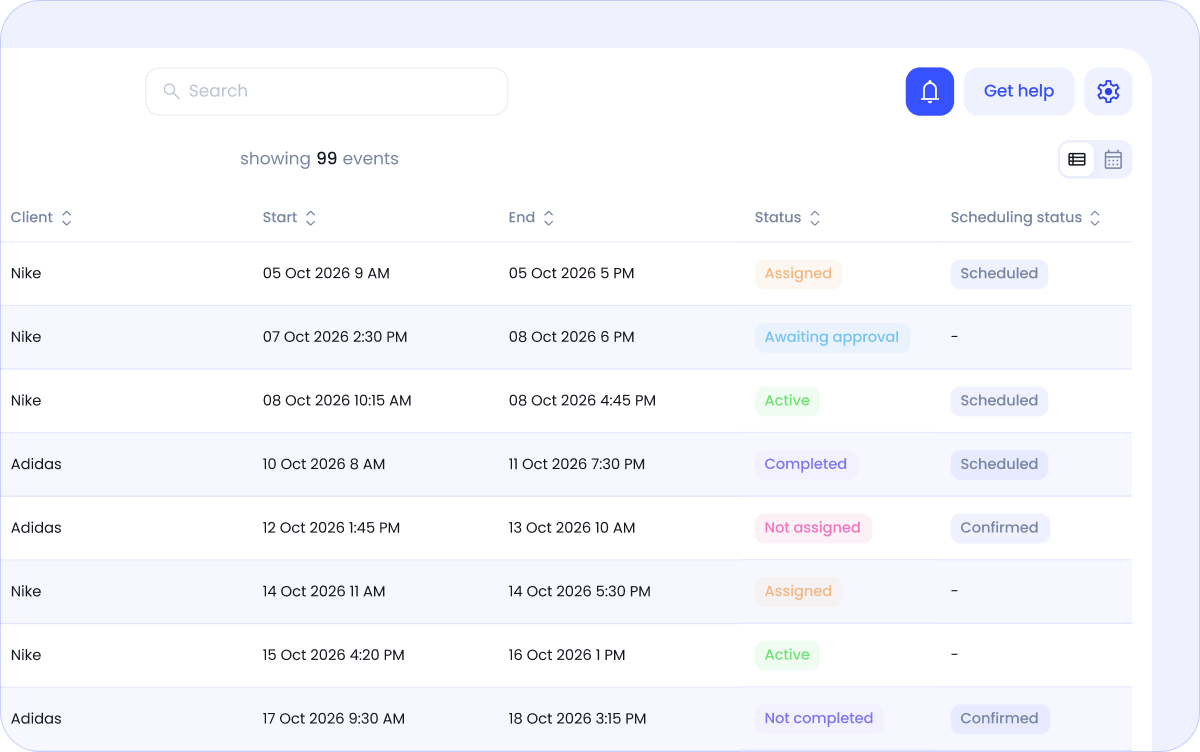
Having an event on the schedule doesn't always mean the job was agreed with everyone involved. That's why events now have a scheduling status that tells you whether the job has been confirmed with the client, the vendor, your install team, etc.
You can filter your events by scheduling status, and see in seconds which jobs are agreed to happen and which still need action.
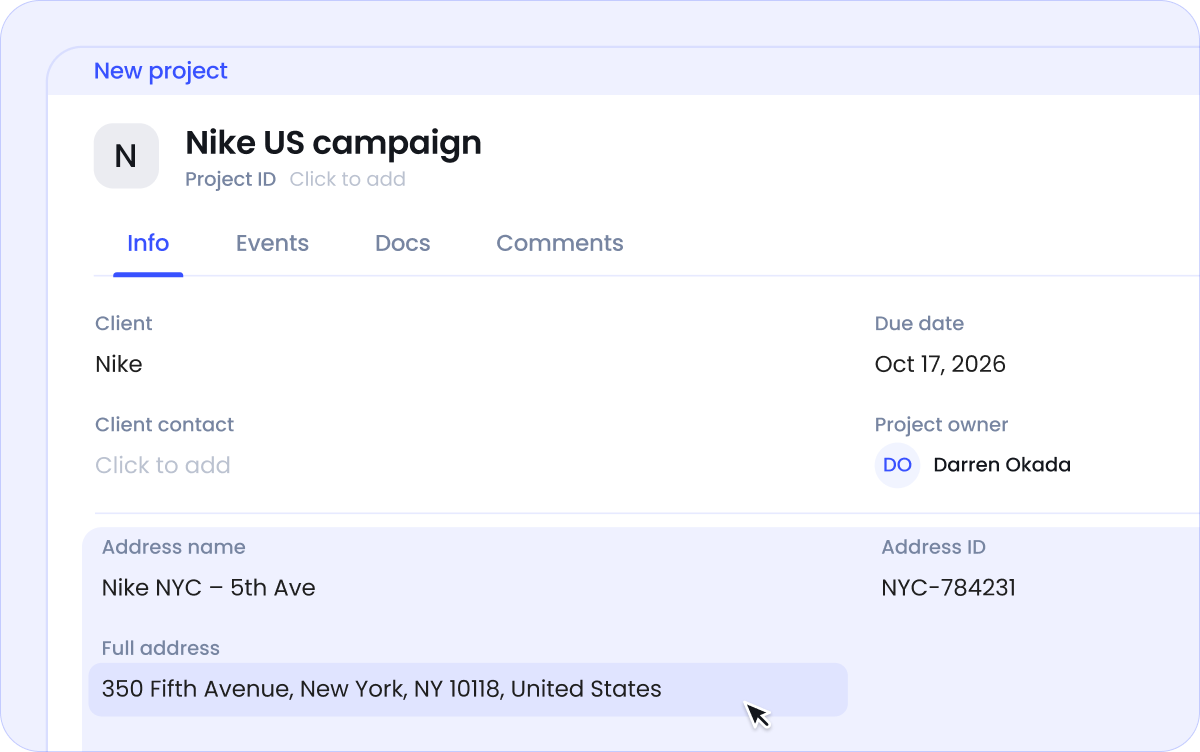
You can now add an address to your clients, opportunities, and projects.
Having client addresses means you always know where your repeat customers are based. Adding an address to an opportunity helps you plan the right crew, gear, and timeline before the job is even confirmed.
When the deal is won, the address copies to the project. Just one less thing to re-enter.
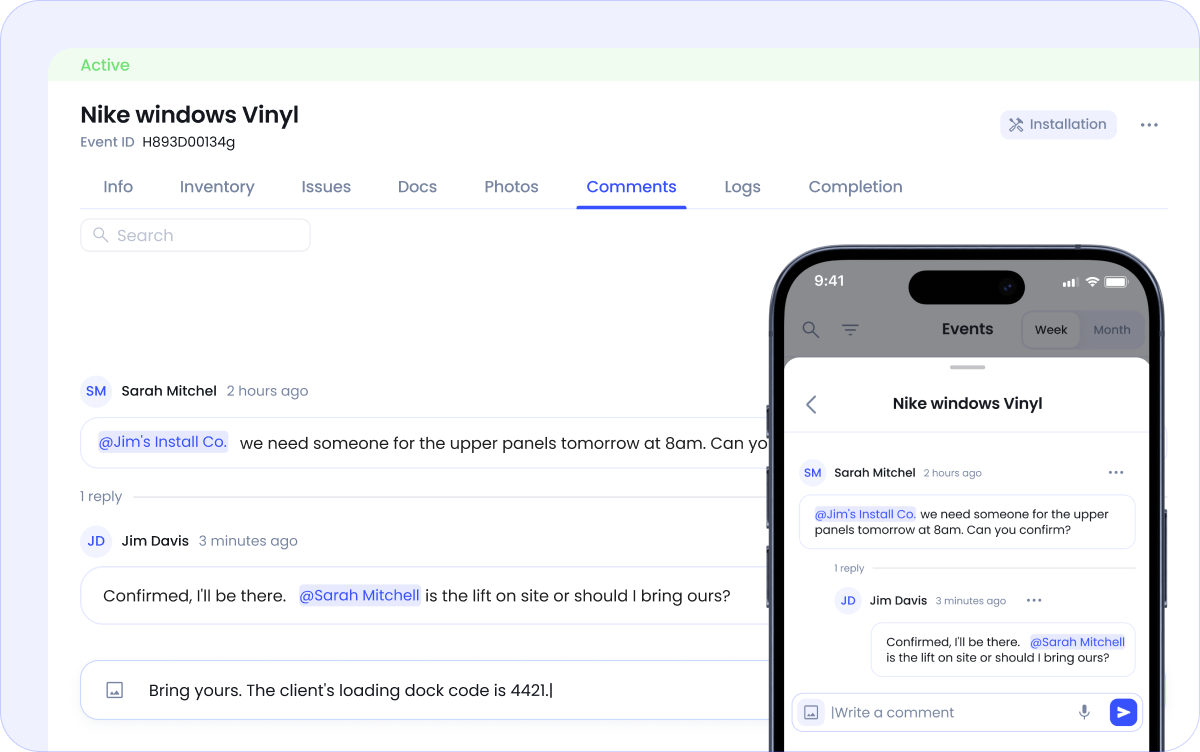
When no specific vendor contact is assigned to the event yet, you can @mention the vendor company directly in comments.
Everyone on their side gets a notification in Vantage and an email with a direct link to the comment. A straightforward way to loop in your subs without picking up the phone.
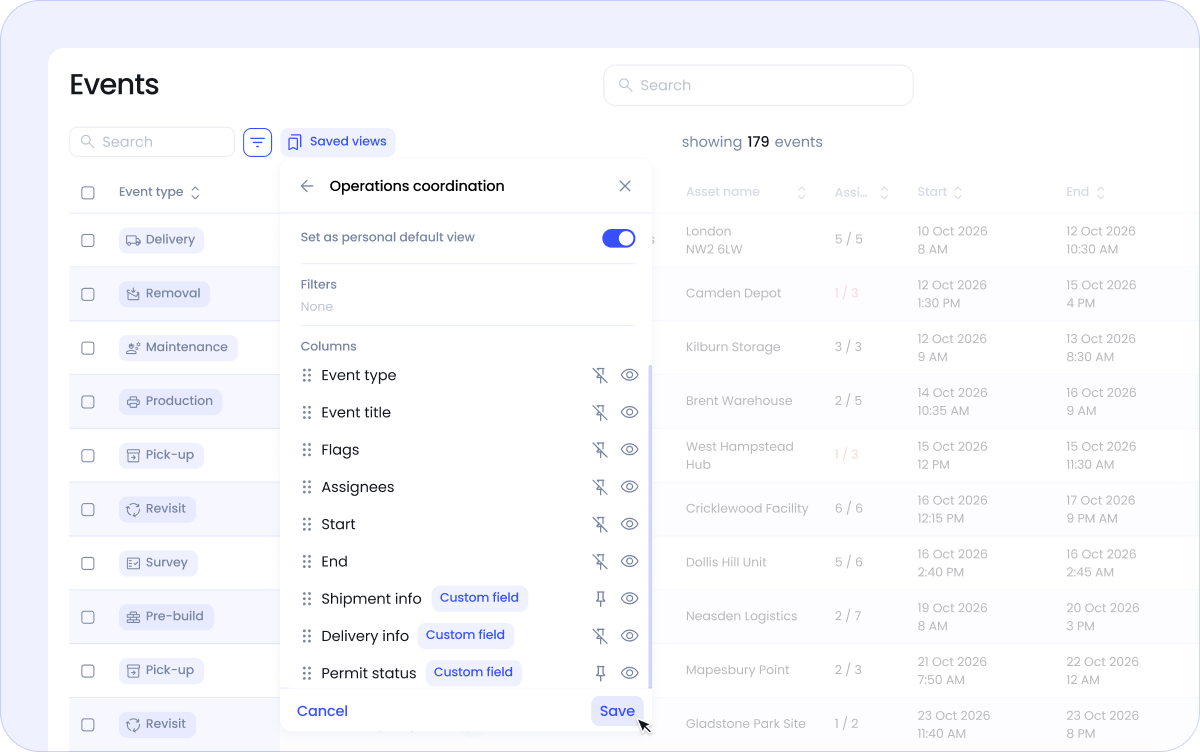
You can now include your custom fields as columns in saved views on the Events page.
If you've built custom fields to track things like delivery or travel info, shipping or permit status, or anything else your shop needs, those fields can now appear directly in your event list. No need to open each event to find the information you need at a glance.
See how Vantage can help you run your wide-format print and sign shop with more structure and control.
