
In this update, we've gathered the latest features you might find useful in your day-to-day operations.
You can now vet vendors before they get assigned work, see where deals slow down in your pipeline, and track your equipment on the Schedule so nothing gets double-booked.
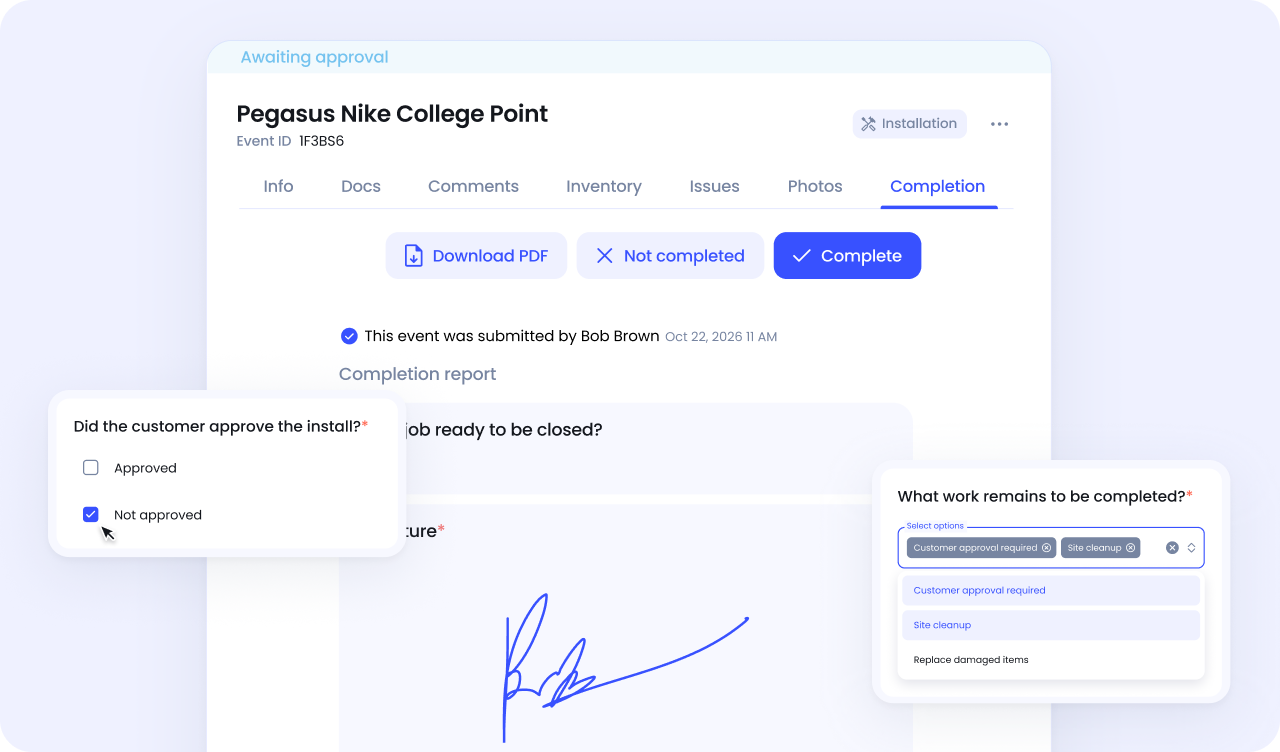
Every shop has its own standard for how a job gets signed off.
Now you can build your completion forms in Vantage, with exactly the questions your process requires, in minutes. So what you get at the end of a job is a consistent, professional report, built around how you actually work.
Every piece of work needs a clear reference, something you can point to.
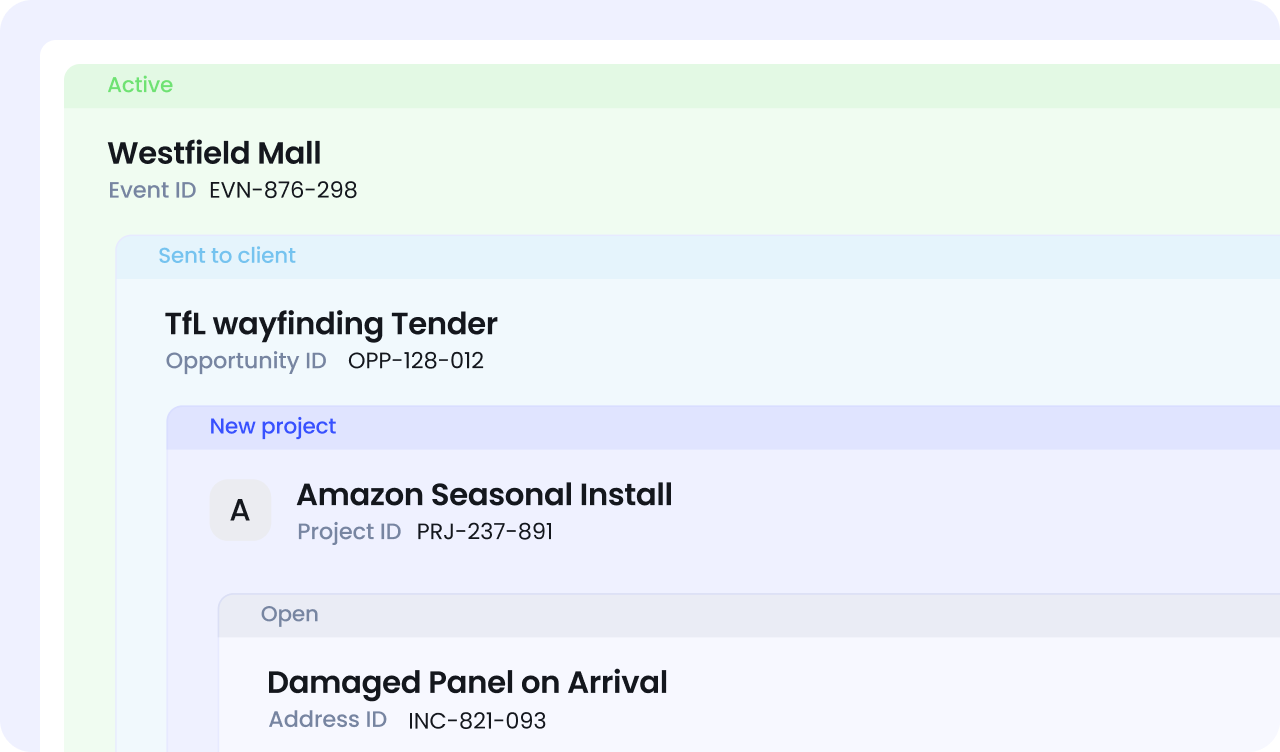
Now you can choose whether IDs are auto-generated or entered manually, depending on how your shop works. If you already have a reference system, keep it. If you'd rather Vantage handle it, let it.
Either way, the ID is there from the start, and everyone's working from the same reference.
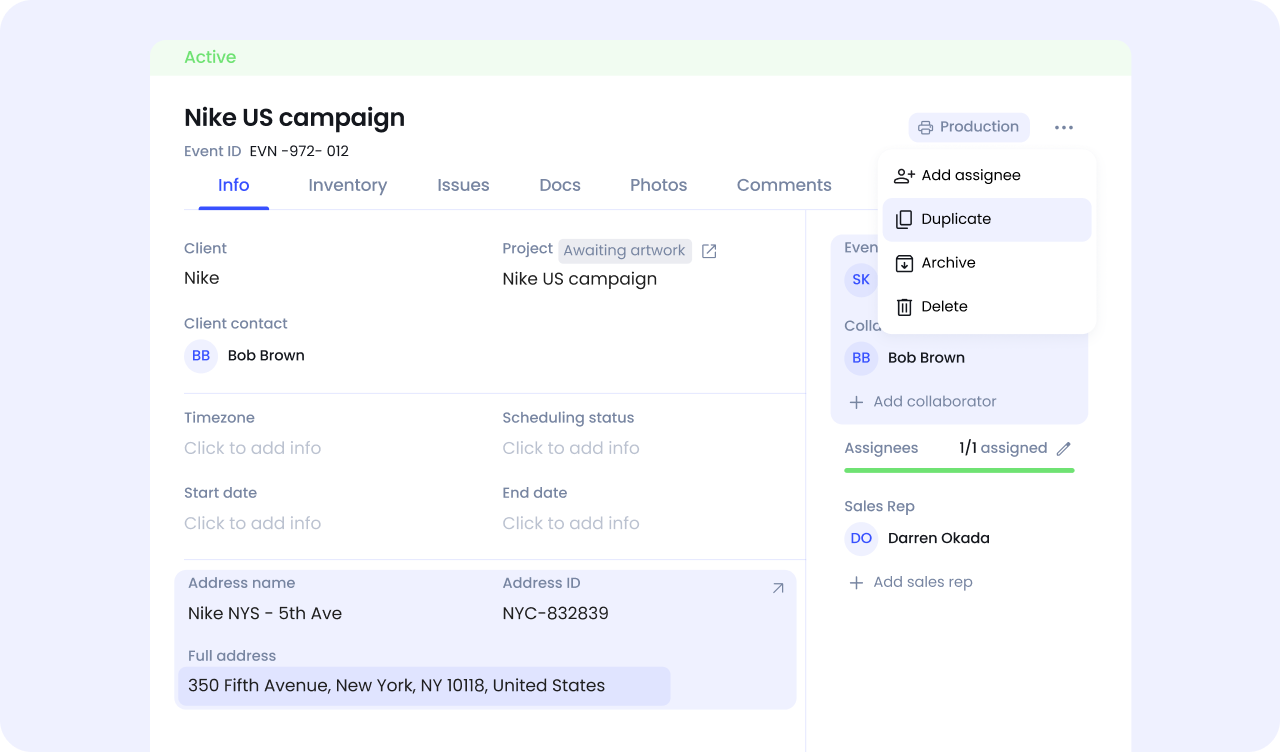
When a job follows a familiar pattern, duplicating an event should save time. Now it does.
The address and roles like Event owner and Collaborators carry across automatically, and you can edit the title before confirming, so the duplicated event is ready to run from the moment it's created.
Running work across multiple regions means knowing what's happening where. Now you can filter your events by city and state and get straight to the jobs in that area, without scrolling through everything else.

The Vantage app now lets you attach and remove flags directly from an event on site.
If something needs attention — a delay, an issue, a hold — it gets marked the moment it comes up. The right people see it sooner, and the job moves forward faster.

See how Vantage can help you run your wide-format print and sign shop with more structure and control.
